skip to main contentskip to main menuskip to footer Universität Bielefeld Play Search

Softphone: Installation under macOS

  • These instructions describe the installation of Cisco Jabber via Self Service for managed macOS devices of the university.
  • The softphone must have been requested and activated via the Service Desk beforehand.


1. install

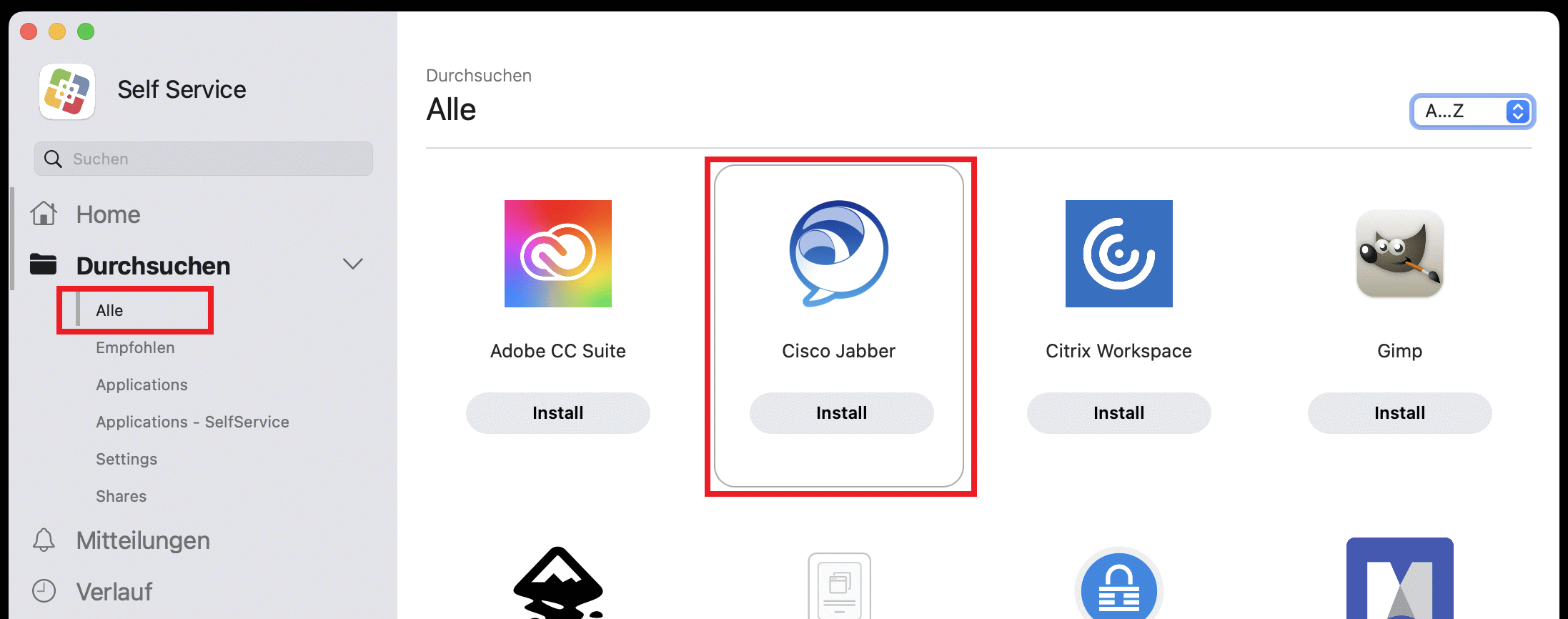
Open the"Self Service" portal.

In the left menu go to Browse > All and install"Cisco Jabber" via Install .

2. deactivate automatic hibernation

A MacBook is preset to automatically enter sleep mode when inactive. In this state, the Jabber client no longer works and incoming calls are not signaled. The following steps are necessary to prevent this.
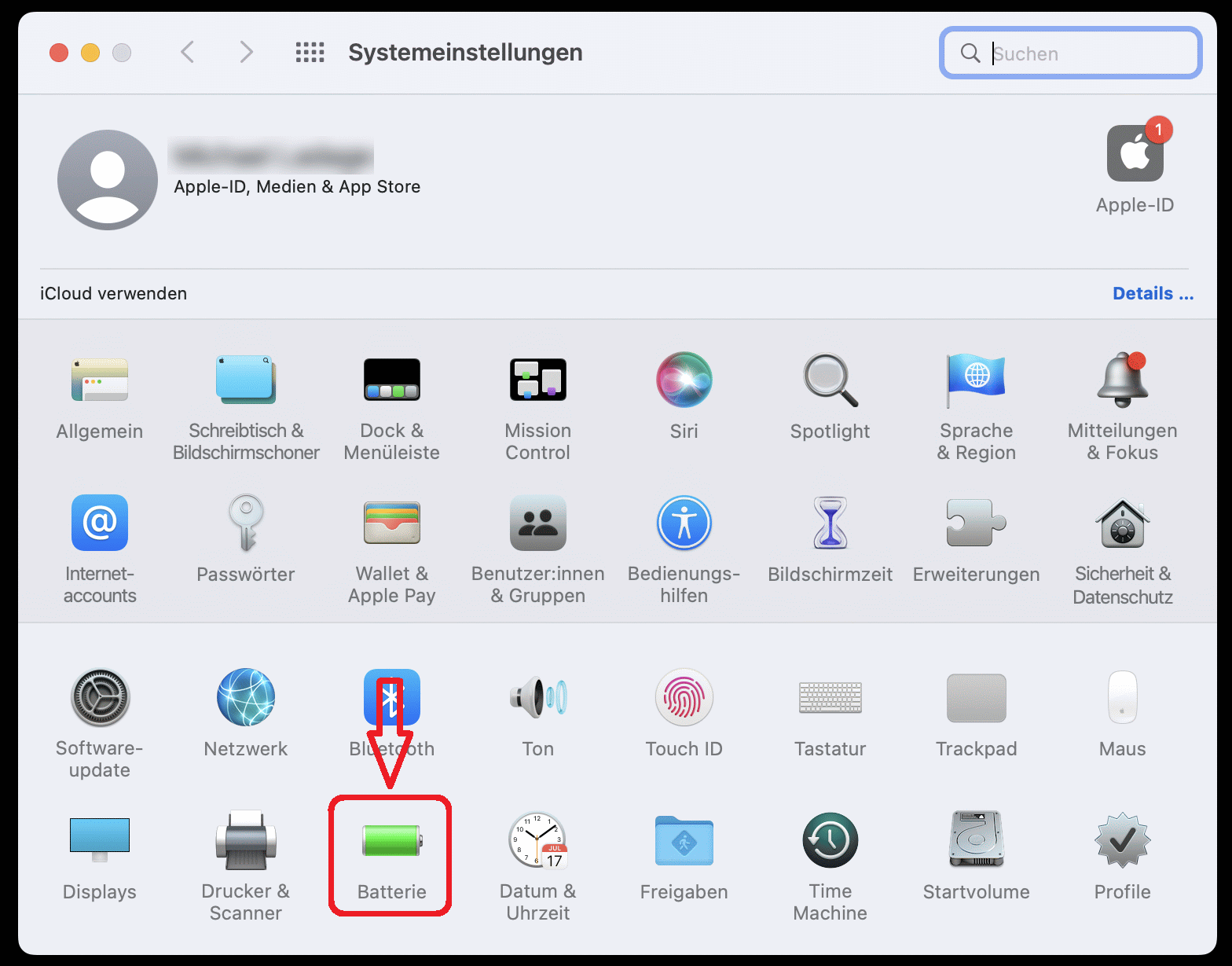
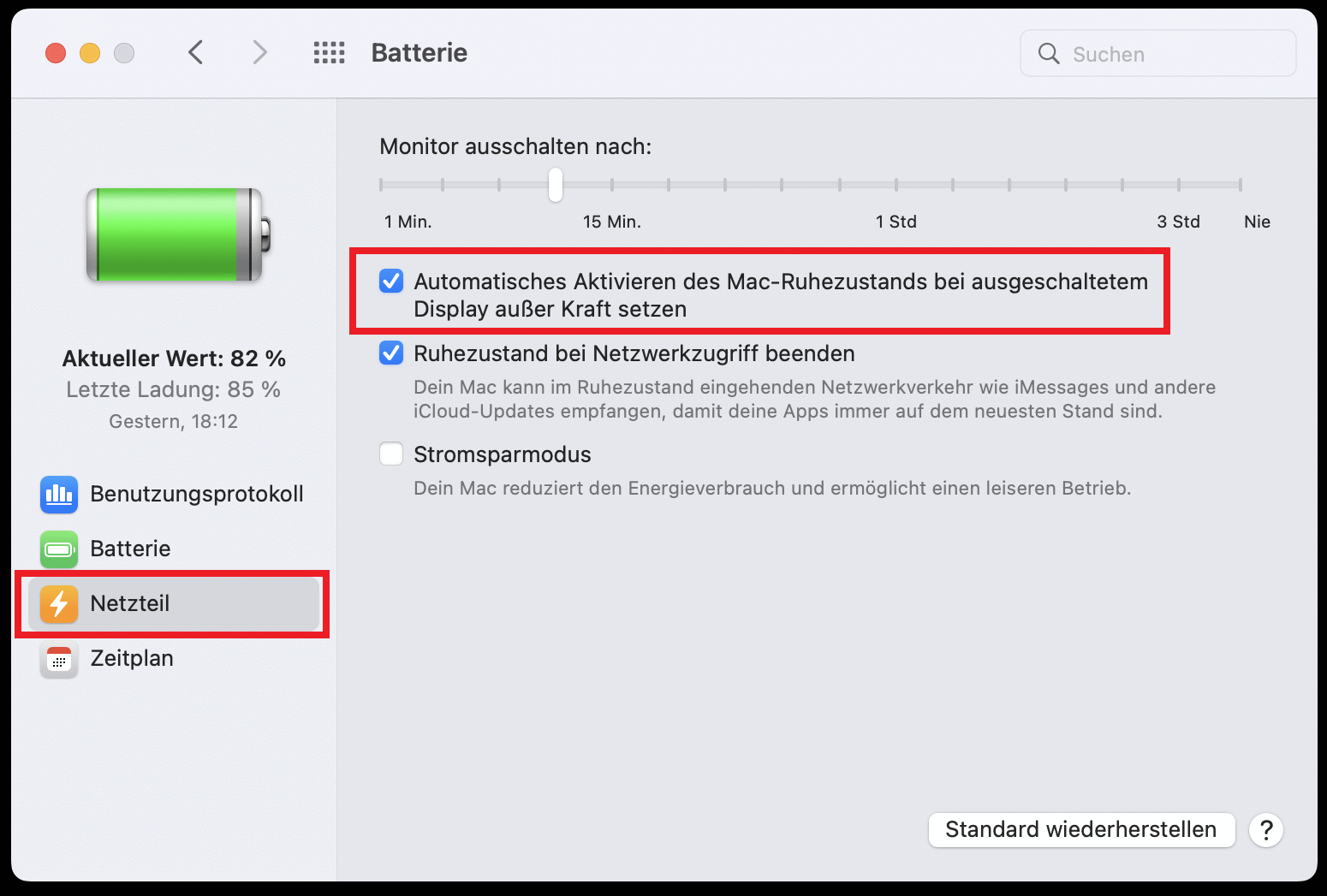
System Settings > OpenBattery.
 

In the left menu, go to Power Supply.

Enable"Override automatic activation of Mac sleep when display is off" (check it).


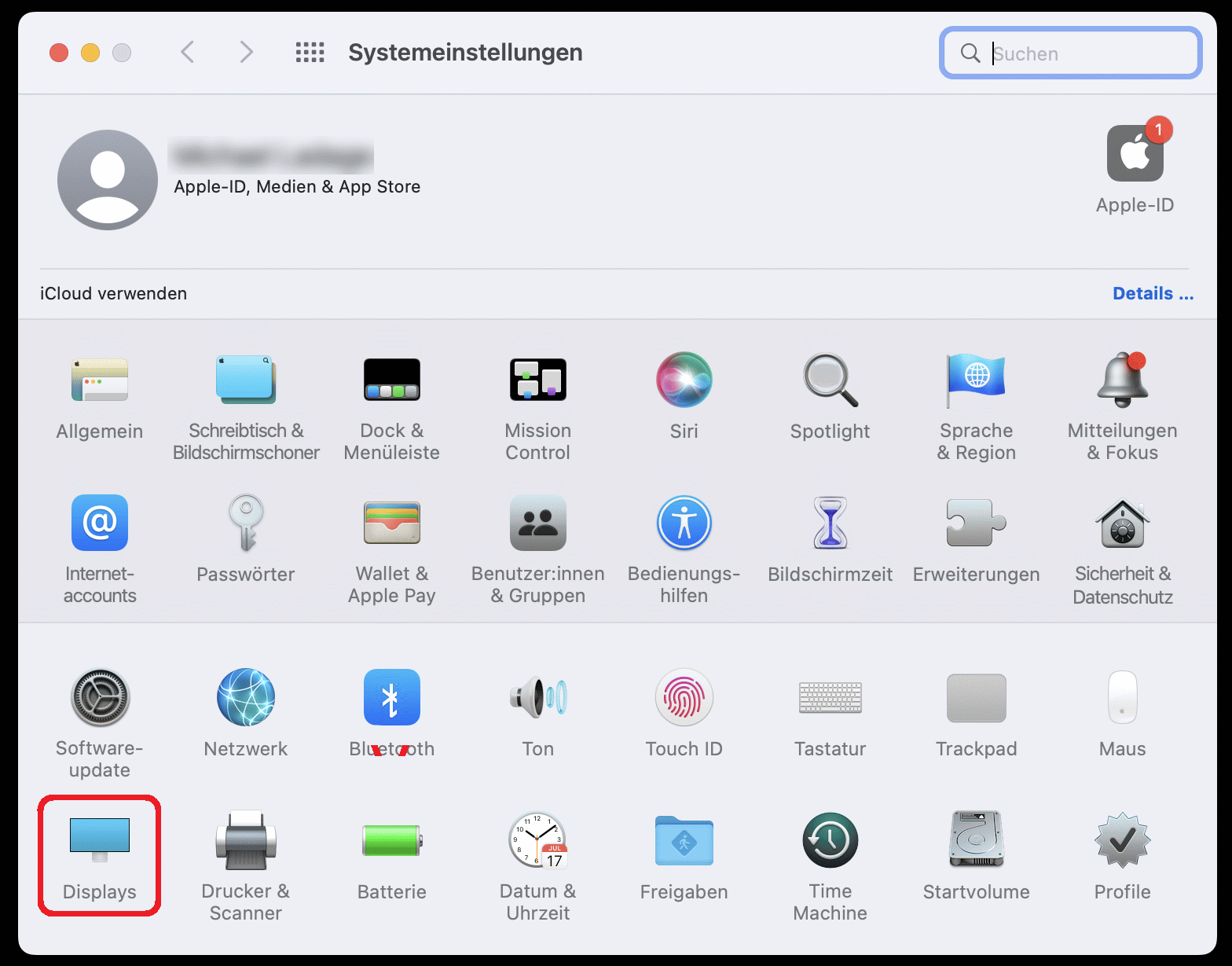
System Settings > Open Displays.
 

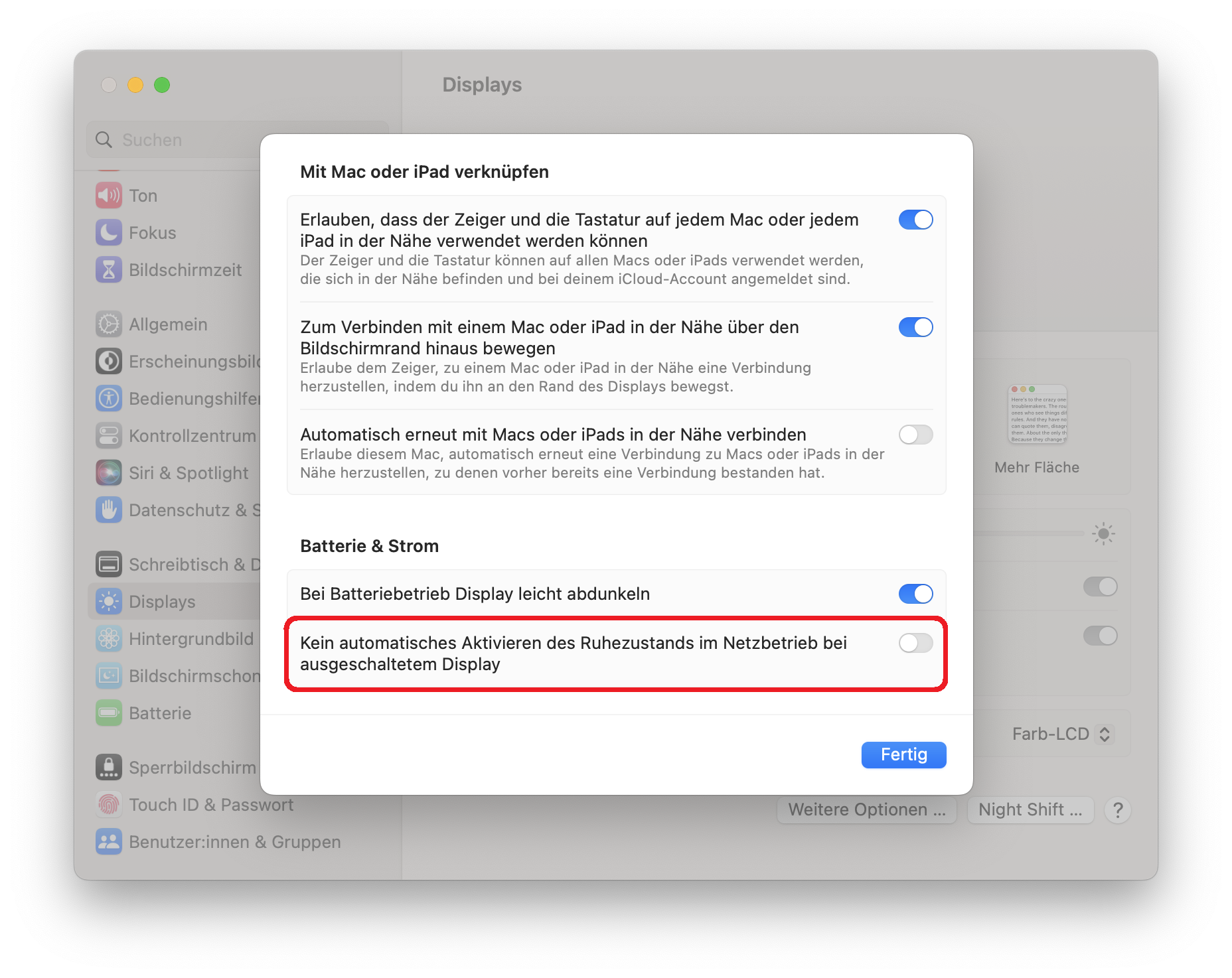
In Battery & Power, deactivate the option"Noautomatic activation of sleep mode in mains operation when the display is switched off" (switch to the left) and confirm with Done.


back to top
Live chat