Setting up WiFi under Linux
We recommend using the eduroam tool CAT to directly preset all required and current configuration settings.
Otherwise, these instructions can be used for manual configuration.
Step 1: Download certificate
1.
In the first step, the root certificate "HARICA TLS RSA Root CA 2021" must be installed on the corresponding device. The following link must be called up on the Linux device:
harica-rsa-server-root-2021.crt
If problems occur, use the cross certificate as an alternative:
harica-rsa-cross-2021.crt
2.
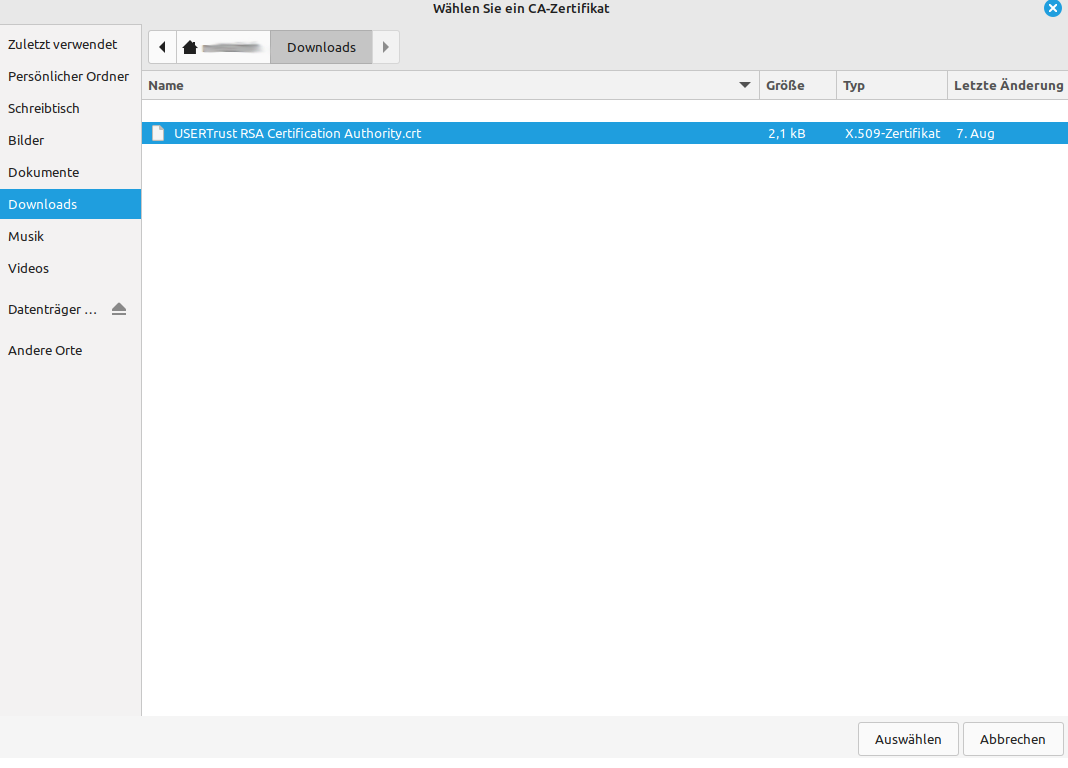
Save the file to a location where the file is to remain. This is required for the subsequent configuration of the WLAN.
Step 2: Configure WLAN
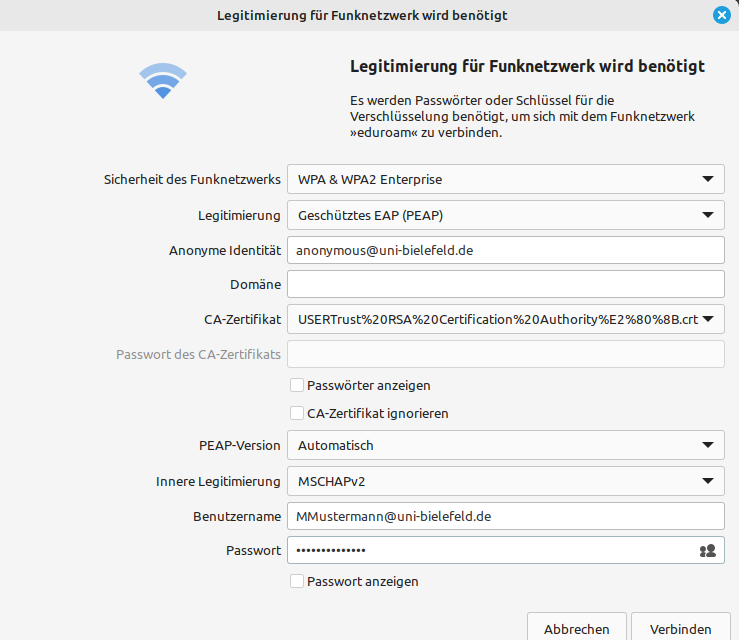
These settings must be made for the WLAN eduroam.
Security of the wireless network:
-> WPA/WPA2 Enterprise
Authentication:
-> Protected EAP (PEAP)
Anonymous identity:
-> bitsuser@uni-bielefeld.de ( do not enter your personal login here)
Domain:
-> uni-bielefeld.de
CA certificate:
-> Select file path from the certificate file
PEAP version:
-> Automatic
Internal legitimisation:
-> MSCHAPV2
Identity:
-> BITS-Loginname@uni-bielefeld.de
Password:
-> BITS password (network password)
Then confirm via "Connect".
An attempt is made to establish a connection directly.